You built a website. You waited, weeks passed. Then months, still no visitors. If you keep asking yourself why is my website not getting traffic, the short answer is this. Your site is likely missing one or more basics like proper SEO setup, fast loading speed, quality content, or the right keyword targeting. Traffic does not show up by accident. It shows up when every small piece works together.
You do not need a huge budget or a technical degree. You need to know exactly what is broken and how to fix it step by step. In this guide, we break down 20 real reasons your website might be invisible to visitors, along with simple solutions for each one. Let’s find out where your website is losing its chance to be seen.
1. Your Website Is Too New
Google does not trust new websites right away. Every domain goes through what many marketers call a sandbox period. During this time, Google crawls your pages slowly, and rankings stay unstable even if your content is good.
Most new sites need three to six months before real organic traffic starts to show up. In competitive industries this can take even longer, sometimes closer to a full year for very crowded niches. The real fix here is patience combined with steady SEO work. Keep publishing helpful content, keep building trust signals, and avoid making big changes too often while Google is still learning about your site.
It also helps to focus early efforts on a small number of pages instead of spreading attention too thin. Pick a handful of important pages, optimize them fully, and let them build authority before expanding your content further. Trying to rank fifty pages at once as a brand new site usually slows everything down instead of speeding it up.
2. You Are Targeting the Wrong Keywords
Many website owners pick keywords based on guesswork instead of real search data. If nobody is searching for your chosen terms, your content will never get found no matter how well it is written. Here is how to check if your keywords actually work:
Search volume: Use a free tool like Google Keyword Planner to see how many people search that term monthly.
Search intent: Make sure the keyword matches what a visitor actually wants to find, not just what sounds good to you.
Competition level: Very broad keywords like “shoes” are almost impossible to rank for as a small business.
Local intent: Add your city or area name if you serve a specific region.
Long-tail phrases: Longer, more specific phrases often bring fewer visitors but higher quality leads.
Choosing the right keywords is the foundation of everything else in SEO. Get this step wrong and every other effort becomes harder than it needs to be.
3. Weak On-Page SEO
On page SEO means how well each page is optimized for search engines. This includes your title tags, header structure, keyword placement, and image alt text. Missing or weak versions of these elements make it harder for Google to understand what your page is actually about.
A common mistake is writing content without any clear header hierarchy. Search engines use your H1, H2, and H3 tags to understand structure and topic relevance. Skipping proper headers or stuffing keywords unnaturally both hurt your chances of ranking well.
Image alt text is another piece owners often skip completely. Alt text describes an image to search engines and to visitors who use screen readers, and it also gives you a small extra chance to include relevant keywords naturally. Fixing on-page SEO does not require technical skill. It mainly requires attention to detail and consistency across every single page on your site, from your homepage down to your smallest service page.

4. Your Website Loads Too Slowly
Speed is one of the biggest silent traffic killers. Studies show most visitors leave a page if it takes more than three seconds to load. Google also uses page speed as a ranking factor, so a slow site gets pushed down in results even if the content is good.
Common causes of slow websites include large uncompressed images, too many plugins, cheap hosting, and messy code. You can test your site speed using Google PageSpeed Insights for free. If your score is low, start by compressing images and removing plugins you do not actually use. Switching to better hosting also makes a noticeable difference. A faster site keeps visitors around long enough to actually read your content and take action.
5. Your Site Is Not Mobile-Friendly
More than half of all web traffic today comes from phones. If your site looks broken, loads slowly, or is hard to use on a small screen, visitors leave within seconds. First impressions on mobile matter just as much as on desktop, sometimes even more.
Google also ranks mobile-friendly sites higher through its mobile-first indexing system. This means Google mainly looks at the mobile version of your site when deciding rankings, not the desktop version. Test your site on an actual phone regularly. Check that buttons are easy to tap, text is readable without zooming, and menus work smoothly. Small mobile friction adds up to lost visitors and lost sales.
6. You Have No Quality Backlinks
| Backlink Type | Value for Traffic | How to Get It |
| Guest posts | High | Write for related niche blogs |
| Local directories | Medium | List your business on trusted directories |
| Broken link building | Medium | Find dead links and offer your content as a replacement |
| Social shares | Low but helpful | Share content actively on social platforms |
| Paid links | Risky, avoid | Google can penalize this practice |
Backlinks act like votes of trust from other websites. Without them, Google has little reason to believe your site deserves a high ranking. Focus on earning natural links through helpful content, partnerships, and genuine outreach rather than buying them. Quality always matters more than quantity when it comes to backlinks. A handful of links from trusted sites in your industry will help far more than dozens of low-quality ones.
7. Thin or Duplicate Content
Short, generic, or copied content does not give Google any reason to rank your page above competitors. Pages with only a few sentences rarely answer a visitor’s question fully, which leads to high bounce rates and weak rankings.
Duplicate content is another hidden problem. This happens when the same or very similar text appears on multiple pages of your own site, or when content is copied from another website. Search engines struggle to decide which version to rank, so both versions often suffer. Every page should offer real value and answer a real question a visitor might have. Aim for depth, clarity, and originality instead of just filling space.

8. Missing Local SEO Setup
If you run a local business, skipping local SEO is a huge mistake. Many potential customers search with local intent like “near me” or their city name when they are ready to buy. To fix this, do the following:
Claim your Google Business Profile: This is often the first thing customers see before your website.
Add consistent NAP details: Your name, address, and phone number should match everywhere online.
Collect genuine reviews: More positive reviews build trust and improve local rankings.
Use location pages: If you serve multiple cities, create a dedicated page for each one.
Add local keywords naturally: Mention your city or region in titles, headers, and body text.
Local SEO is one of the fastest ways small businesses can start seeing real traffic and phone calls. Skipping it means losing customers who are actively searching for your services right now, today, in your own area.
9. You Are Not Publishing Fresh Content
Google favors websites that update regularly instead of sitting untouched for months. A blog is one of the easiest ways to keep adding fresh, keyword-rich pages that attract new visitors over time. Each new post is another chance to rank for a new search term.
Businesses working with a steady content marketing approach usually see gradual but steady traffic growth because they keep feeding search engines new material. If your last blog post was published over a year ago, that gap is likely hurting your visibility. Set a realistic publishing schedule, even if it is just one useful post per month, and stick to it consistently.
10. Confusing Website Structure and Navigation
If visitors cannot find what they need within a few clicks, they leave and rarely come back. A messy structure also makes it harder for search engines to crawl and understand your pages properly.
A clean structure usually follows a simple pattern. Your homepage links to main category pages, which then link to more specific pages underneath them. Avoid burying important pages several clicks deep. Menus should be simple and predictable, using labels visitors immediately understand rather than clever internal names only your team recognizes. Good structure helps both humans and search engines move through your site with ease.
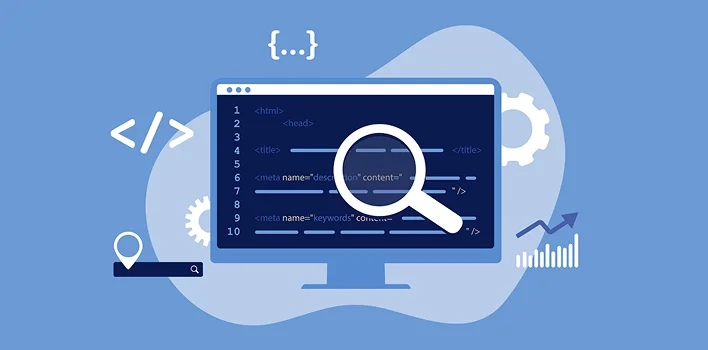
11. Missing or Poorly Written Meta Titles and Descriptions
These small pieces of text show up directly in search results before a visitor ever clicks. A weak or missing meta title means fewer people click on your link even if you rank well in the search results. Simple rules to follow:
- Keep titles under 60 characters so they do not get cut off in search results.
- Include your main keyword naturally near the beginning of the title.
- Write descriptions under 155 characters with a clear reason to click.
- Avoid duplicate titles across different pages of your site.
- Add a benefit or number when it fits naturally, since specific details tend to earn more clicks.

12. No Clear Call to Action
Even if visitors land on your page, unclear next steps mean they leave without doing anything useful. Every page should tell the visitor exactly what to do next, whether that is calling, booking, or filling out a form.
A strong call to action is short, direct, and placed where visitors naturally look, usually near the top and again at the end of the page. Avoid vague phrases like “learn more” when a more specific action like “book your free call” or “get a quote today” would guide visitors better. Test different wording over time and watch which version gets more clicks, since even small changes in phrasing can shift results noticeably. Traffic without direction rarely turns into real business results.
13. Your Site Is Not Properly Indexed
Sometimes Google simply has not added your pages to its index yet. This can happen because of blocked crawling settings, missing sitemaps, or accidental technical errors during development. You can check your indexing status directly inside Google Search Console, which is a free tool every website owner should be using.
If pages are missing from the index, submit your sitemap manually and request indexing for important pages one by one. Also check your robots.txt file to make sure you are not accidentally blocking search engines from crawling your site. This is a common technical mistake that quietly kills traffic for months without anyone noticing until someone finally checks.
14. Technical Errors Like Broken Links and 404 Pages
Broken links frustrate both visitors and search engines. Too many errors signal a poorly maintained site, which can slowly hurt your rankings over time even if your content is strong.
| Error Type | Impact on Traffic | Quick Fix |
| 404 pages | Visitors leave immediately | Redirect to a relevant live page |
| Broken images | Looks unprofessional | Replace or remove broken files |
| Duplicate content | Confuses search engines | Use canonical tags |
| Slow redirects | Hurts user experience | Clean up redirect chains |
| Mixed content warnings | Damages trust and security | Ensure all resources load over HTTPS |
Run a technical audit every few months to catch these issues early, before they pile up and become harder to fix all at once. Free crawling tools can scan your entire site in minutes and list every broken link in one simple report, so there is no excuse for letting these small errors linger for months.
15. Ignoring Search Intent
Writing about a keyword is not enough on its own. Your content needs to match exactly what the searcher wants, whether that is general information, a product comparison, or a direct purchase decision. A page selling a product will rarely rank for a keyword where searchers are only looking for a definition or explanation.
Study the current top-ranking pages for your target keyword before writing. Notice the format they use, whether that is a list, a guide, or a product page, and match that expectation while still adding your own unique value. Matching intent correctly is often more important than the exact words you use in your content.
16. Not Promoting Content on Social Media
While social shares are not a direct ranking factor, they do bring extra visitors and can lead to natural backlinks over time. Ignoring social promotion means missing an easy, low cost traffic source that mainly requires consistent effort rather than a large budget.
Share every new blog post or page across the platforms where your audience already spends time. Repurpose the same content into short posts, carousels, or quick videos instead of only posting a plain link. This extends the life of each piece of content and brings repeated waves of visitors back to your site over several weeks instead of just one single day, especially when a post gets reshared by someone else.
17. Weak Internal Linking
Internal links help both visitors and search engines move through your site easily and understand how pages relate to each other. They also pass authority from strong, well-ranking pages to newer ones, helping everything rank better together over time.
A simple habit fixes this quickly. Every time you publish new content, look back at older related pages and add a natural link pointing to the new one. Do the same in reverse by linking the new page back to relevant older content. Over time this builds a strong web of connections that search engines can crawl efficiently, instead of leaving pages isolated and harder to discover.

18. Not Tracking Performance With Analytics Tools
You cannot fix what you cannot see. Many website owners never check Google Analytics or Search Console, so they have no real idea which pages are working and which ones are quietly failing month after month. Set up tracking today by doing the following:
- Install Google Analytics to see visitor numbers, sources, and behavior on your site.
- Connect Google Search Console to monitor rankings, clicks, and indexing issues.
- Check monthly reports instead of guessing what is working or not working.
- Track conversions, not just visits, to understand real business impact from your traffic.
- Watch bounce rate on key pages to spot content or speed problems early.
19. Your Competitors Are Simply Better Optimized
Sometimes your content is fine, but a competitor has stronger SEO, better backlinks, faster load times, or a more polished user experience overall. Ranking is always relative to what else is currently showing up on that same search results page.
Studying top ranking competitors helps you understand exactly what gap you actually need to close. Look at their content length, their keyword usage, their site speed, and the type of backlinks pointing to their pages. This is not about copying them directly. It is about understanding the current bar you need to clear in your specific industry and niche.
20. No Consistent SEO Strategy
SEO is not a one-time task you finish and forget. It needs ongoing effort spread across content creation, technical health, and link building month after month. Many businesses give up too early or work without a real plan, expecting fast results that rarely match how search engines actually work.
This is exactly why partnering with a proper search engine optimization team often changes results within just a few months of consistent, focused work. A real strategy tracks progress monthly, adjusts based on what the data shows, and treats SEO as an ongoing relationship rather than a single project with a fixed end date.
In some cases the real problem is not just SEO but the website itself. A full website redesign combined with conversion rate optimization can solve multiple problems from this entire list at once, giving both search engines and real visitors a much better experience from the very first click.
Final Thoughts
Low traffic is frustrating, but it is almost never a mystery once you look closely at what is actually happening behind the scenes. Most websites lose visitors because of a handful of fixable issues like slow speed, weak content, poor keyword choices, or missing technical setup. The businesses that grow are simply the ones willing to fix these problems one at a time instead of giving up early.
You do not have to figure this out alone. A clear audit can show you exactly where your website is losing traffic and which steps will bring the biggest results the fastest. Small, consistent fixes add up to real, lasting growth over time.
Ready to find out what’s really blocking your website’s traffic? Get your free growth audit today and get a clear, personalized action plan.
Frequently Asked Questions
Why is my website not getting traffic even after months?
This usually happens because of weak SEO fundamentals like poor keyword targeting, slow speed, or missing backlinks. Fixing these basics is the first real step toward steady growth.
How long does it take for a website to start getting organic traffic?
Most websites need three to six months of consistent SEO work before noticeable organic traffic appears. Competitive industries can take even longer than that.
Does website speed really affect traffic?
Yes. Slow websites lose visitors within seconds and rank lower in Google because speed is a confirmed ranking factor used across both desktop and mobile results.
Can social media alone bring website traffic?
Social media helps, but it usually works best alongside SEO rather than replacing it completely. Organic search remains the most reliable long term traffic source for most businesses.
What is the fastest way to find out what is wrong with my site?
A professional audit is the quickest way to spot exactly what is holding your traffic back and what to fix first, instead of guessing where to start.
Is it normal for traffic to grow slowly at first?
Yes, slow early growth is completely normal for most websites. Search engines need time to trust a site, so steady progress usually matters more than instant results.